Interactive Smart Boards have become an essential part of modern classrooms. However, not every Android smart board offers the same level of performance, security, and access to Google applications. This is where Google EDLA comes into the picture.
If you're planning to buy a smart board for your school, coaching institute, college, or corporate training room, understanding Google EDLA can help you make a smarter investment.
In this guide, we'll explain what Google EDLA is, how it works, its benefits, and why EDLA-certified smart boards are becoming the preferred choice in 2026.
What is Google EDLA?
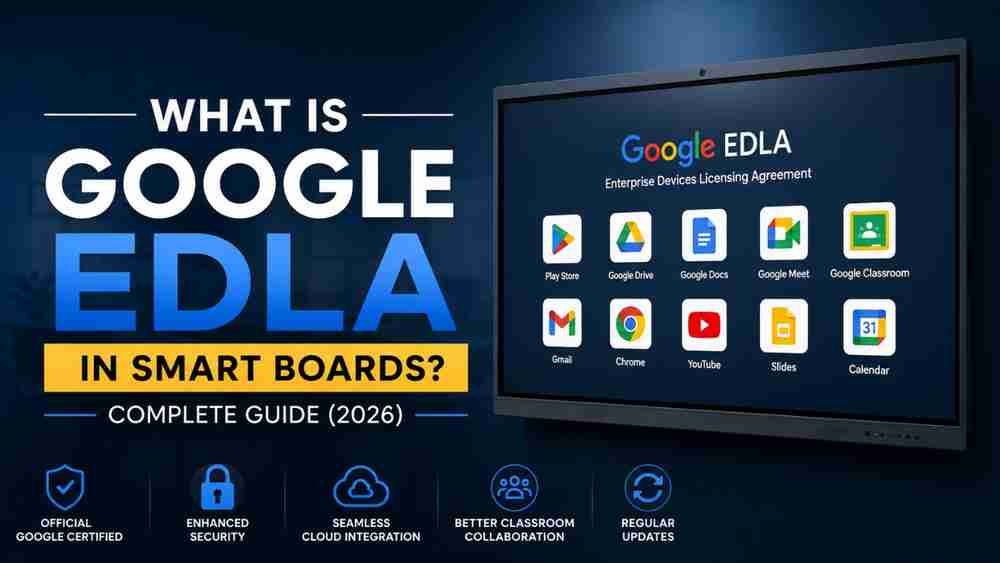
Google EDLA (Enterprise Devices Licensing Agreement) is Google's official certification program for Android-based enterprise devices, including interactive smart boards.
A smart board with Google EDLA certification is approved by Google and comes with officially licensed Google services such as:
- Google Play Store
- Google Drive
- Google Docs
- Google Sheets
- Google Slides
- Gmail
- Google Chrome
- Google Meet
- Google Classroom
- Google Calendar
Unlike regular Android smart boards, EDLA-certified devices provide a secure, reliable, and fully integrated Google ecosystem.
Why is Google EDLA Important?
Many Android smart boards available in the market do not have official Google certification. This means users may experience:
- Limited app support
- Missing Google Play Store
- Compatibility issues
- Security concerns
- Delayed software updates
With Google EDLA certification, schools and teachers receive a trusted Android experience directly supported by Google.
Key Features of Google EDLA Smart Boards
1. Official Google Play Store
Teachers can download thousands of educational applications directly from the Play Store without installing APK files manually.
Popular apps include:
- Google Classroom
- Zoom
- Microsoft Teams
- Canva
- Kahoot
- Whiteboard apps
- Educational learning apps
2. Better Security
Google EDLA devices receive verified security updates that protect school data and student information.
Benefits include:
- Secure login
- Protected data
- Verified applications
- Safe browsing
3. Seamless Google Workspace Integration
Teachers can easily access:
- Google Docs
- Google Slides
- Google Sheets
- Google Drive
- Gmail
Everything syncs automatically with their Google account.
4. Easy Classroom Collaboration
Students and teachers can collaborate in real time using Google Workspace.
Examples include:
- Sharing presentations
- Editing documents together
- Accessing cloud files
- Conducting online classes
- Interactive assignments
5. Regular Software Updates
Unlike non-certified Android devices, EDLA smart boards receive official updates that improve:
- Performance
- Security
- Compatibility
- Stability
Benefits of Google EDLA Smart Boards for Schools
Schools are increasingly adopting EDLA-certified smart boards because they offer a complete digital teaching experience.
Major benefits include:
- Better classroom engagement
- Faster lesson preparation
- Cloud-based teaching
- Secure student data
- Easy app installation
- Improved productivity
- Future-ready technology
Benefits for Teachers
Google EDLA makes daily teaching much easier.
Teachers can:
- Open PowerPoint presentations directly from Google Drive
- Teach using Google Slides
- Conduct Google Meet classes
- Share assignments through Google Classroom
- Access teaching materials instantly
- Install educational apps within minutes
This reduces setup time and improves classroom efficiency.
Google EDLA vs Normal Android Smart Board
Feature | Google EDLA Smart Board | Normal Android Smart Board |
Google Play Store | Yes | Usually No |
Google Workspace | Fully Supported | Limited |
Security Updates | Official | Limited |
App Compatibility | Excellent | Moderate |
Google Meet | Supported | May Not Work Properly |
Cloud Integration | Excellent | Basic |
Reliability | High | Moderate |
Who Should Buy a Google EDLA Smart Board?
Google EDLA smart boards are ideal for:
- Schools
- Colleges
- Universities
- Coaching institutes
- Training centers
- Corporate meeting rooms
- Government educational institutions
If your organization relies on Google Workspace, an EDLA-certified smart board is a worthwhile investment.
How to Identify an EDLA-Certified Smart Board
Before purchasing, check whether the smart board includes:
- Google EDLA Certification
- Official Google Play Store
- Google Chrome
- Google Meet
- Google Drive
- Google Classroom support
- Automatic Google updates
Always verify these features with the seller before making a purchase.
Why Schools are Choosing Google EDLA in 2026
Education is becoming increasingly digital. Teachers now depend on cloud storage, online collaboration, hybrid learning, and educational applications every day.
Google EDLA ensures that smart boards deliver:
- Better performance
- Greater reliability
- Enhanced security
- Official Google support
- Long-term software updates
This makes them a future-ready solution for modern classrooms.
Google EDLA Smart Boards from Edumark Technologies
If you're looking for a reliable Google EDLA-certified Smart Board, Edumark Technologies offers complete smart classroom solutions for schools, colleges, coaching institutes, and corporate organizations.
Services Offered
- Interactive Smart Boards
- Google EDLA Smart Boards
- Smart Classroom Setup
- Hybrid Classroom Solutions
- 4K PTZ Camera Setup
- Online Teaching Studio Setup
- Installation & Training
- After-Sales Support
Contact Edumark Technologies
Company: Edumark Technologies
Phone: +91 8002805461
Email: info@edumarktechnologies.com
Website: www.edumarktechnologies.com
Conclusion
Google EDLA is more than just a certification—it ensures that your smart board is secure, reliable, and fully integrated with Google's ecosystem. From seamless access to the Google Play Store and Google Workspace to regular security updates and better app compatibility, EDLA-certified smart boards offer a significantly better teaching and collaboration experience.
For schools, coaching institutes, and businesses planning a long-term investment in digital education, choosing a Google EDLA-certified smart board is a smart decision that delivers better performance, improved productivity, and peace of mind.
FAQs
Is Google EDLA necessary for a smart board?
Yes. It provides official Google apps, stronger security, and better compatibility compared to non-certified Android smart boards.
Can I install apps from the Play Store on an EDLA smart board?
Yes. EDLA-certified smart boards include the official Google Play Store for easy app installation.
Does Google EDLA support Google Classroom?
Yes. Google Classroom works seamlessly on EDLA-certified smart boards.
Are EDLA smart boards better than normal Android smart boards?
In most cases, yes. They offer official Google services, regular updates, better security, and a smoother user experience.
Which organizations should use Google EDLA smart boards?
Schools, colleges, coaching institutes, training centers, and businesses that rely on Google Workspace will benefit the most from EDLA-certified devices.