Introduction
The education sector has evolved rapidly over the past few years. Traditional chalkboards have gradually given way to digital teaching tools that create engaging, interactive, and visually rich learning experiences. Whether it's a school classroom, IIT-JEE coaching institute, NEET preparation center, or an online teaching studio, educators are increasingly adopting interactive smart boards to improve lesson delivery and student engagement.
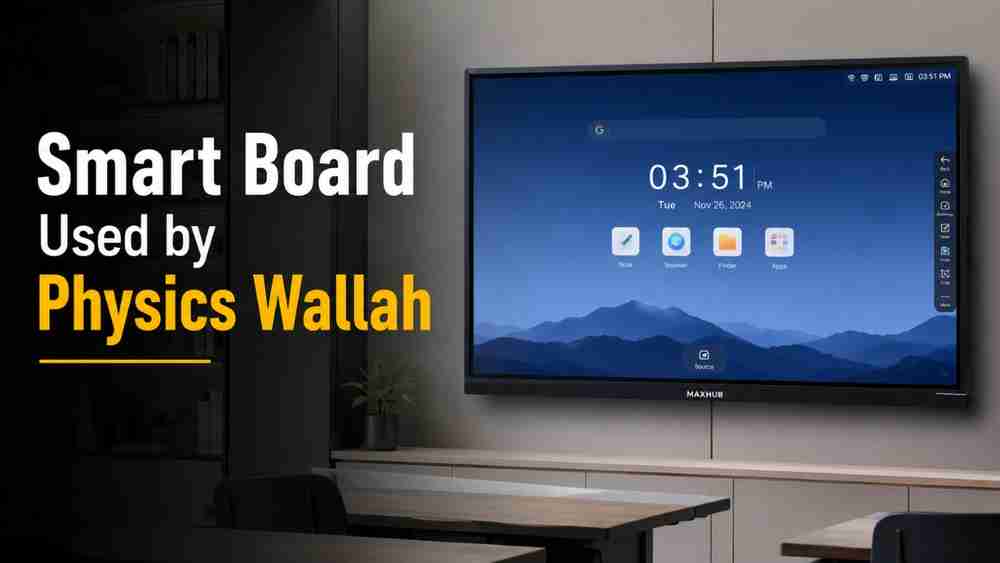
One question that many educators frequently ask is: What smart board is used by Physics Wallah?
Many viewers and educators have observed MAXHUB interactive displays in several Physics Wallah teaching studios. While Physics Wallah has not officially confirmed a standard smart board model across all classrooms, MAXHUB products are widely associated with their professional digital teaching setup based on publicly available videos and classroom appearances. This has led many institutions to explore similar solutions for building modern smart classrooms.
In this article, we'll explore why the Smart Board Used by Physics Wallah has attracted so much attention, what makes MAXHUB interactive displays popular, and how institutions can choose the right interactive flat panel for their teaching environment.
Which Smart Board Does Physics Wallah Use?
The Smart Board Used by Physics Wallah is a common topic among teachers and coaching institute owners looking to replicate a professional teaching experience.
Based on publicly available classroom videos, many educators have noticed MAXHUB smart boards in several teaching studios. However, there is no official public confirmation that Physics Wallah exclusively uses MAXHUB across all its classrooms or has an official partnership with the brand.
What makes these interactive displays appealing is their ability to deliver smooth handwriting, crystal-clear visuals, responsive touch controls, and seamless integration with online teaching platforms. These capabilities make them ideal for creating engaging digital lessons for both offline and hybrid classrooms.
What Is a MAXHUB Interactive Display?
A MAXHUB interactive display is an all-in-one digital teaching solution designed for education, corporate training, and collaborative learning.
Its key features include:
- 4K Ultra HD Display for sharp and vibrant visuals.
- Multi-touch support that allows multiple users to interact simultaneously.
- Smooth digital writing with responsive touch technology.
- Android operating system for standalone functionality without a PC.
- Windows compatibility for advanced applications and software.
- Wireless screen sharing from laptops, tablets, and smartphones.
- Built-in whiteboard software for annotation and lesson planning.
- Screen recording for creating reusable learning content.
- Integrated speakers that deliver clear classroom audio.
- Hybrid learning support for both in-person and online teaching.
These features help educators deliver lessons more efficiently while improving student participation.
What Is a MAXHUB Interactive Display?
A MAXHUB Interactive Display is an advanced Interactive Flat Panel (IFP) designed for education, corporate collaboration, and hybrid learning environments. Unlike a traditional projector or whiteboard, MAXHUB combines a 4K touchscreen display, built-in Android operating system, high-performance processors, whiteboard software, wireless collaboration tools, and classroom-friendly features into a single device.
The result is a complete teaching solution where educators can write naturally, annotate presentations, play videos, conduct online classes, and save lesson notes without requiring multiple devices.
Crystal-Clear 4K Ultra HD Display
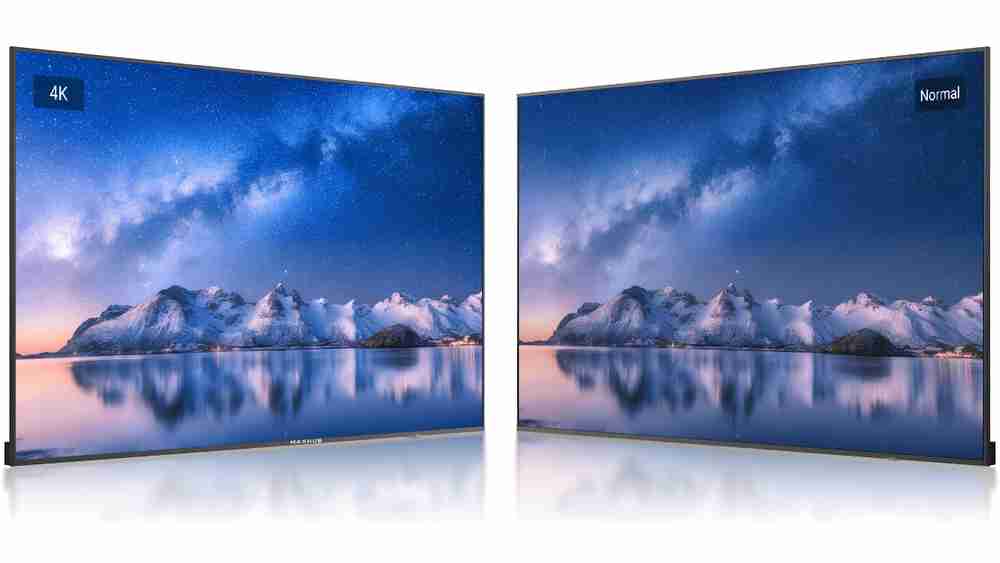
One of the biggest advantages of a MAXHUB smart board is its 4K Ultra HD resolution (3840 × 2160 pixels). Text, diagrams, mathematical equations, engineering drawings, and scientific illustrations appear exceptionally sharp, making them easier for students to read even from the back of the classroom.
The anti-glare tempered glass further improves visibility under classroom lighting while protecting the display from scratches and daily use.
Ultra-Smooth Writing Experience

Teachers often compare the writing experience on MAXHUB to writing on a real whiteboard.
Its high-precision infrared touch technology provides:
- Low writing latency
- Smooth handwriting
- Fast response time
- Accurate pen recognition
- Natural stroke rendering
Whether teaching Physics, Chemistry, Mathematics, Biology, or Engineering subjects, educators can draw complex diagrams and solve numerical problems with excellent precision.
Multi-Touch Collaboration
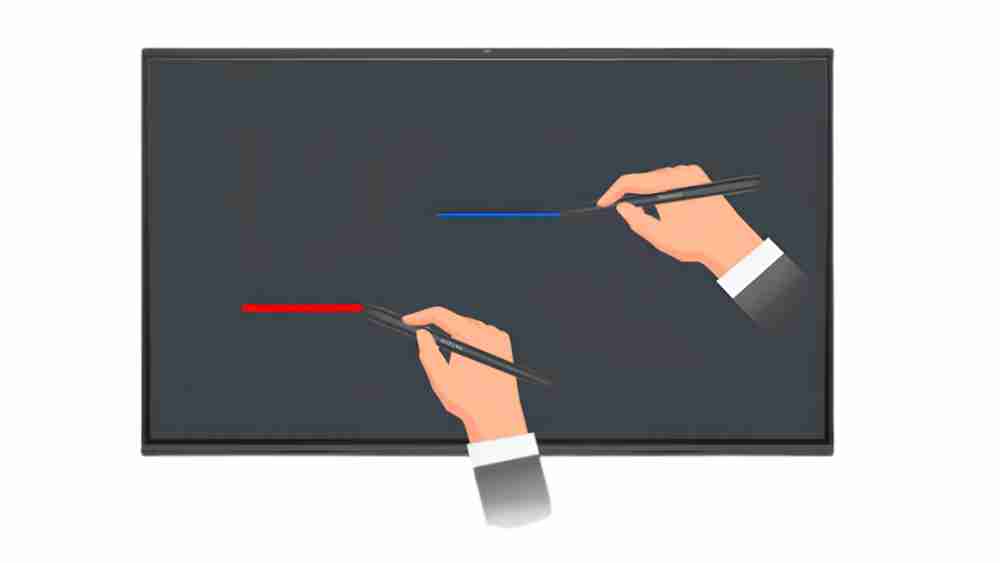
MAXHUB interactive displays support multiple touch points simultaneously, allowing several users to write or interact with the screen at the same time.
This feature is especially useful for:
- Classroom activities
- Group discussions
- Student presentations
- Problem-solving sessions
- Collaborative learning
Instead of one-way teaching, classrooms become interactive learning environments.
Intelligent Palm Rejection
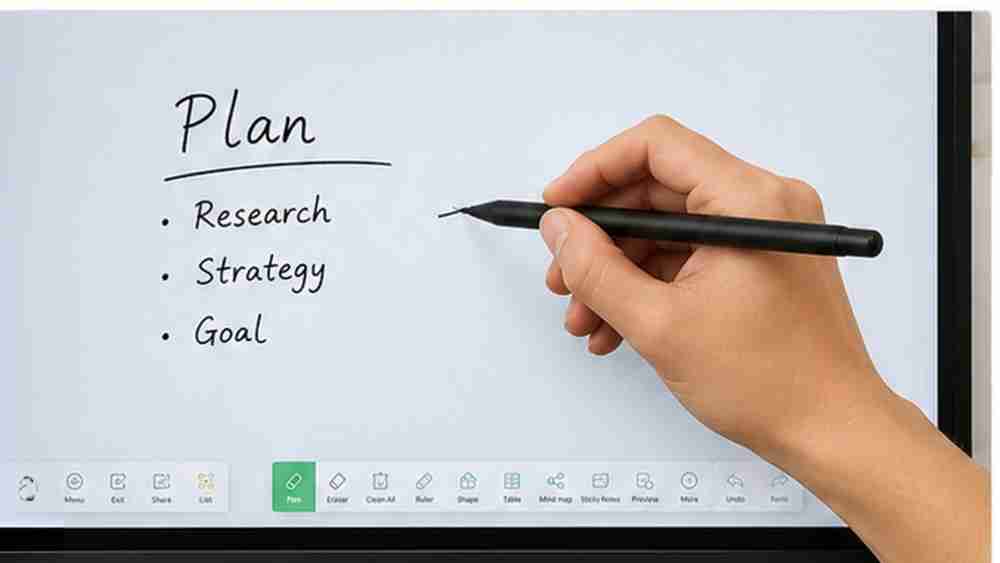
MAXHUB's Palm Rejection technology automatically distinguishes between the stylus and the user's hand.
Teachers can comfortably rest their palm on the screen while writing without creating unwanted marks, making long teaching sessions much more natural.
Built-in Android Operating System
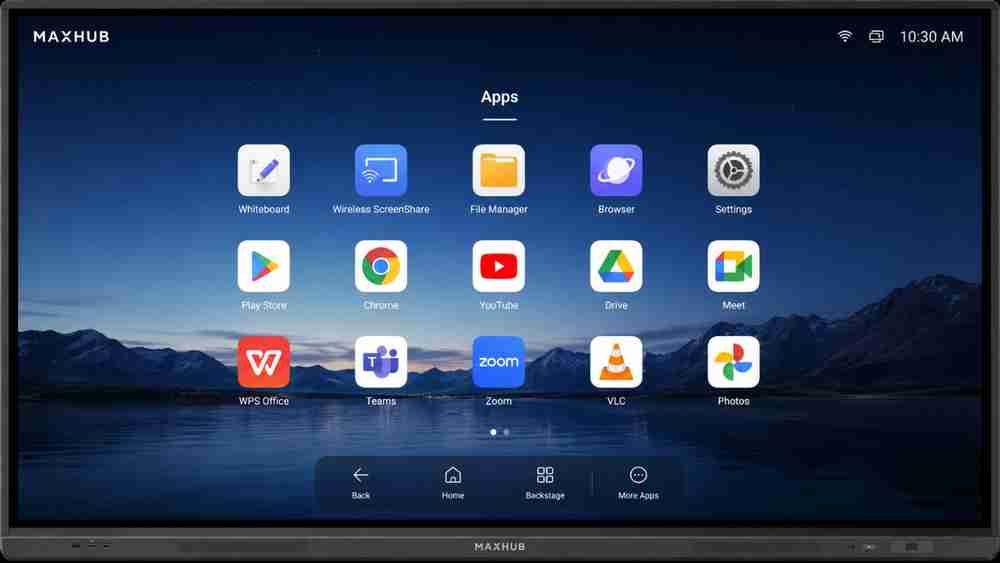
Unlike conventional projectors that require a computer for every task, MAXHUB includes a built-in Android operating system.
Teachers can:
- Open presentations
- Browse the internet
- Access educational apps
- Use the digital whiteboard
- Play videos
- Annotate documents
—all without connecting an external PC.
Full Windows Compatibility
For institutions using specialized educational software, MAXHUB works seamlessly with Windows computers.
This allows teachers to use applications such as:
- Microsoft PowerPoint
- Microsoft Excel
- Microsoft Word
- PDF annotation tools
- CAD software
- Simulation software
- Educational applications
- Virtual laboratory software
This flexibility makes it suitable for schools, universities, and technical institutions.
Wireless Screen Sharing
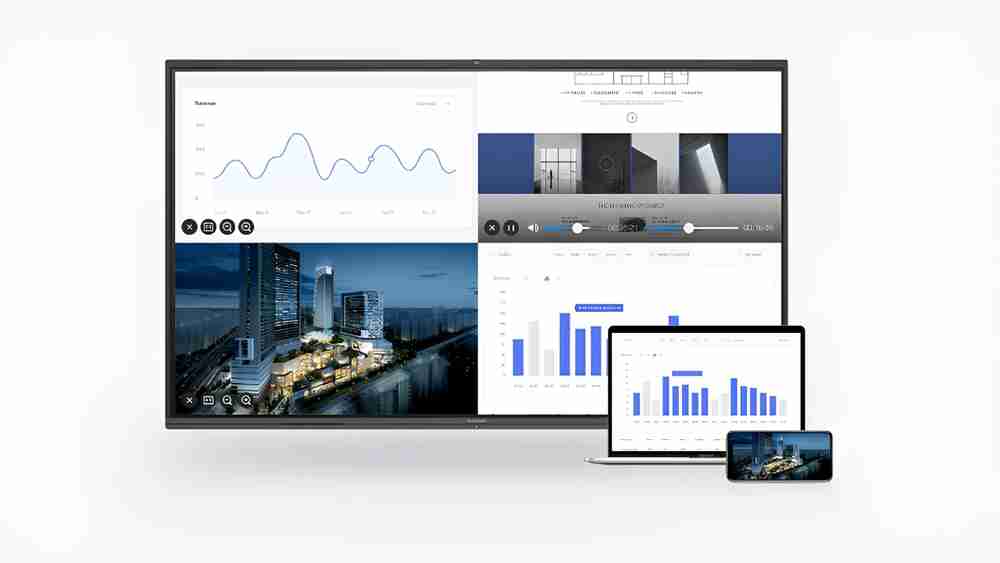
One of the most appreciated features of MAXHUB is its wireless collaboration capability.
Teachers and students can wirelessly cast content from:
- Windows laptops
- MacBooks
- Android phones
- iPhones
- Tablets
This eliminates cable clutter and allows presenters to switch devices quickly during lectures.
Advanced Digital Whiteboard Software
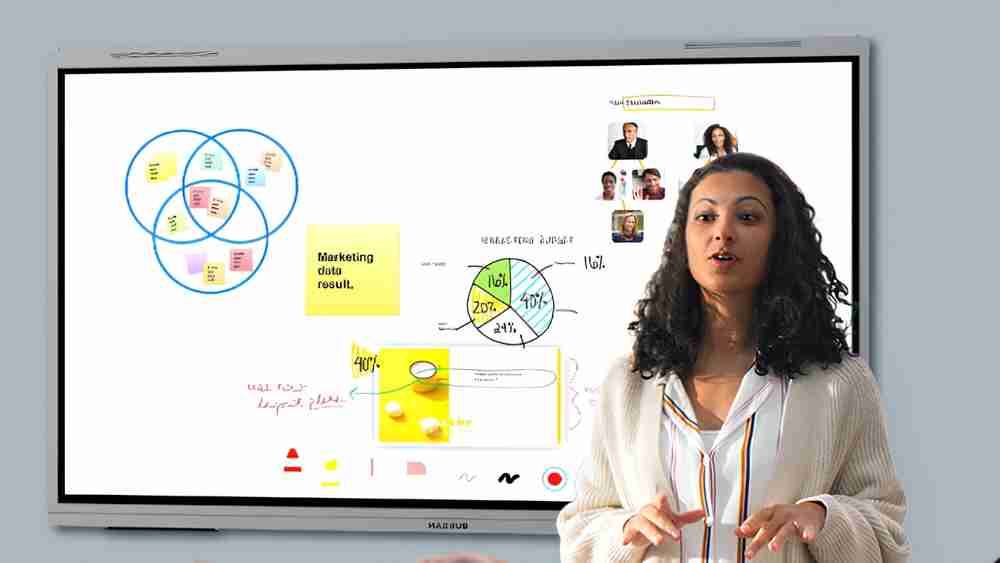
MAXHUB's built-in whiteboard application offers much more than basic writing.
Teachers can:
- Change pen colors
- Adjust pen thickness
- Draw geometric shapes
- Use rulers and protractors
- Insert images
- Add sticky notes
- Save lessons as PDF
- Export notes
- Share content instantly
These features simplify lesson planning and improve student revision.
Built-in Screen Recording
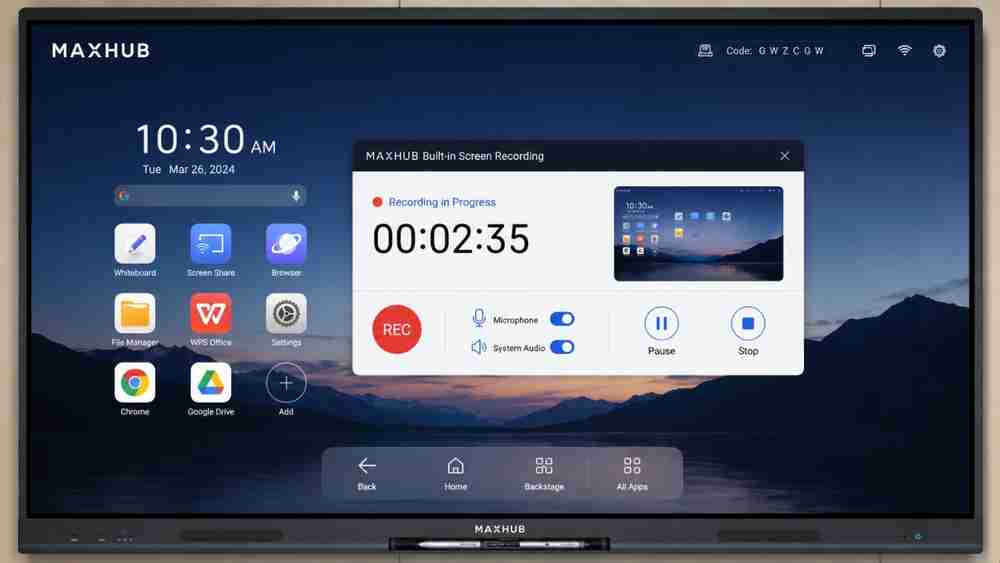
Teachers can record complete lectures—including voice, annotations, and screen activity—with just a few taps.
Recorded sessions can later be:
- Shared with absent students
- Uploaded to LMS platforms
- Used for online coaching
- Added to recorded courses
- Reused for future batches
This feature is especially valuable for coaching institutes and hybrid learning environments.
Powerful Audio System
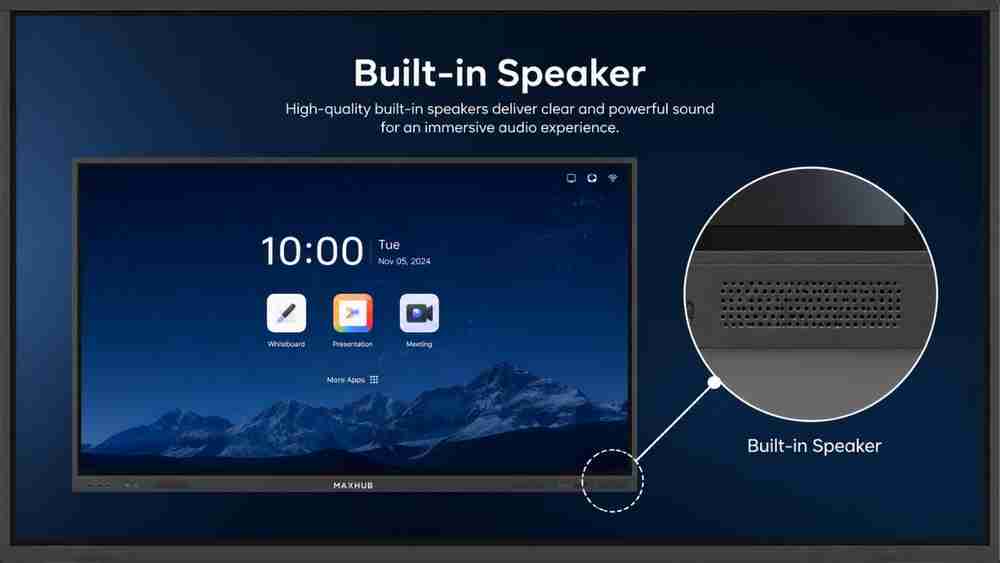
MAXHUB displays include integrated high-quality speakers that deliver clear classroom audio without requiring external speaker systems for most teaching environments.
For larger lecture halls, external audio systems can also be connected if needed.
Key Features of MAXHUB Interactive Displays
Feature | Benefit |
4K Display | Crisp and detailed visuals |
Multi-touch | Supports collaborative learning |
Palm Rejection | Natural handwriting without accidental touches |
Wireless Casting | Share screens instantly from multiple devices |
Whiteboard Software | Create and save digital notes easily |
Android OS | Operate without an external computer |
Windows Compatibility | Supports educational and professional software |
Screen Recording | Record lectures for future use |
Built-in Speakers | Clear classroom audio without external speakers |
Split Screen Mode | Display multiple applications simultaneously |
Who Should Use This Smart Board?
MAXHUB interactive displays are suitable for a wide range of educational and professional environments.
They are ideal for:
- Schools
- Colleges
- IIT-JEE coaching institutes
- NEET coaching centers
- Online educators
- Universities
- Corporate training centers
- Skill development institutes
- Professional training organizations
Whether you're conducting offline classes, hybrid sessions, or fully online courses, an interactive flat panel helps improve communication and learning outcomes.
Why Choose EduMark Technologies?
Selecting the right interactive display involves more than purchasing hardware. Proper consultation, installation, training, and after-sales support are equally important.
EduMark Technologies assists educational institutions and organizations by offering:
- MAXHUB interactive displays
- Smart classroom installation
- Professional product consultation
- Live product demonstrations
- Teacher training
- Warranty assistance
- Reliable after-sales service
- PAN India installation support
Rather than focusing solely on products, EduMark Technologies helps institutions implement complete smart classroom solutions tailored to their teaching requirements.
Frequently Asked Questions
1. Which smart board is commonly seen in Physics Wallah classrooms?
Many viewers have observed MAXHUB interactive displays in several publicly available Physics Wallah teaching videos. However, Physics Wallah has not officially confirmed a standard smart board model across all classrooms.
2. Is MAXHUB good for coaching institutes?
Yes. MAXHUB interactive displays offer 4K resolution, smooth digital writing, wireless sharing, and screen recording, making them well-suited for coaching institutes.
3. Can MAXHUB be used for online teaching?
Absolutely. MAXHUB supports video conferencing, wireless casting, digital whiteboarding, and lecture recording, making it an excellent choice for online teaching.
4. Does MAXHUB support Windows and Android?
Yes. Most MAXHUB interactive displays include Android functionality and are compatible with Windows PCs for greater flexibility.
5. What is the ideal smart board size for classrooms?
The ideal size depends on classroom dimensions. Common choices include 65-inch, 75-inch, and 86-inch interactive displays for schools and coaching institutes.
Conclusion
The Smart Board Used by Physics Wallah has become a popular topic because educators want to create engaging and professional learning environments similar to those seen in successful online classrooms. While Physics Wallah has not officially confirmed a single standard smart board model, MAXHUB interactive displays are widely associated with many of its teaching studios and are recognized for their advanced interactive features.
For schools, coaching institutes, colleges, universities, and corporate training centers, investing in a reliable interactive flat panel can significantly improve teaching efficiency, student participation, and hybrid learning capabilities.
If you're planning to build or upgrade a smart classroom, EduMark Technologies can help you explore MAXHUB interactive display solutions, provide expert consultation, arrange product demonstrations, and deliver professional installation with dependable after-sales support across India.
Contact EduMark Technologies today to discover the ideal smart classroom solution for your institution and transform the way you teach.