If you are an online teacher, YouTube educator, or coaching institute owner, you already know that content is king. However, even the most meticulously planned lecture can lose its impact if the video quality is poor. When it comes to building a professional teaching studio, many educators make the mistake of investing heavily in expensive cameras while completely neglecting their lighting.
The reality? A highly-priced 4K camera will perform poorly in a badly lit room, while a mid-range smartphone camera can produce stunning, professional-grade video with the best light for studio setup.
In this comprehensive guide, we will break down everything you need to know about professional studio lights, from understanding different types of lighting to setting up the perfect environment for your online classes. Whether you need a simple YouTube studio lighting setup or a complete smart classroom studio, Edumark Technologies is here to guide you. As a premier provider of complete studio solutions—including interactive digital boards, PTZ cameras, wireless microphones, and professional lighting on affordable EMI options—we know exactly what it takes to make your teaching studio stand out.
Why Good Lighting Matters in a Teaching Studio
Lighting is the unsung hero of video production. Before diving into the specific types of equipment, it is essential to understand why investing in professional studio lights is non-negotiable for modern educators.
- Better Video Quality: Cameras require light to capture clear, noise-free images. Proper lighting ensures your camera sensor works at its optimal capacity, eliminating the grainy, pixelated look often seen in amateur videos.
- Increased Student Attention: Viewers are incredibly sensitive to visual quality. A bright, evenly lit video looks professional and trustworthy, which helps retain student engagement. Dim or flickering lighting can distract learners and cause them to click away.
- Professional Appearance: Your studio represents your brand. Whether you are selling an online course or representing a coaching institute, crisp and well-balanced lighting positions you as an authority in your field.
- Improved Learning Experience: In an educational setting, students need to see your facial expressions, gestures, and any physical props you might use. Good lighting makes communication clearer.
- Reduced Eye Strain: For educators who spend hours recording or streaming live classes, relying on harsh overhead room lights can cause severe eye fatigue. Purpose-built studio lights provide controlled, diffused illumination that is much easier on the eyes.
Types of Studio Lights Explained
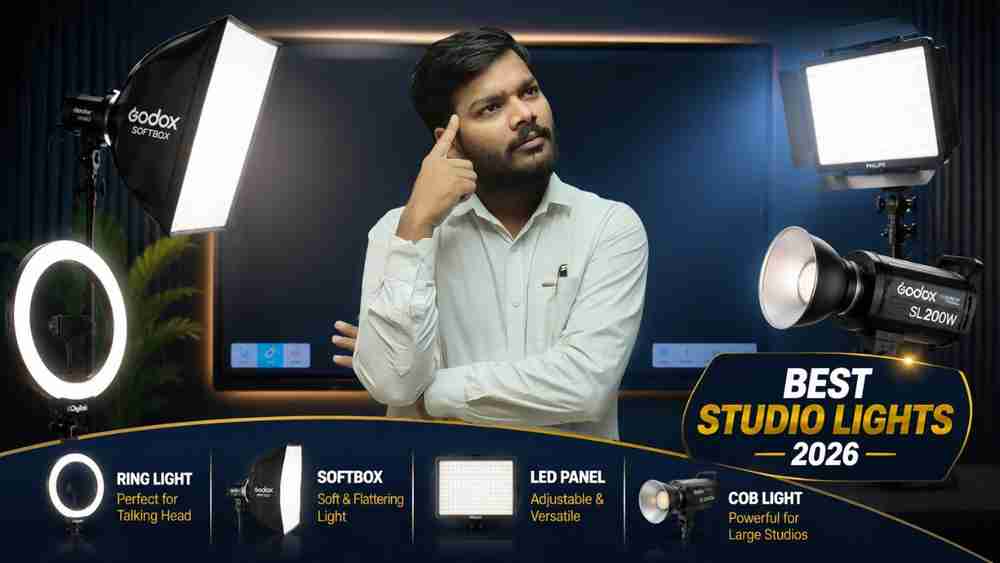
With so many options on the market, choosing the right LED lights for your studio can feel overwhelming. Let’s break down the four main categories of professional video lighting.
1. Ring Lights
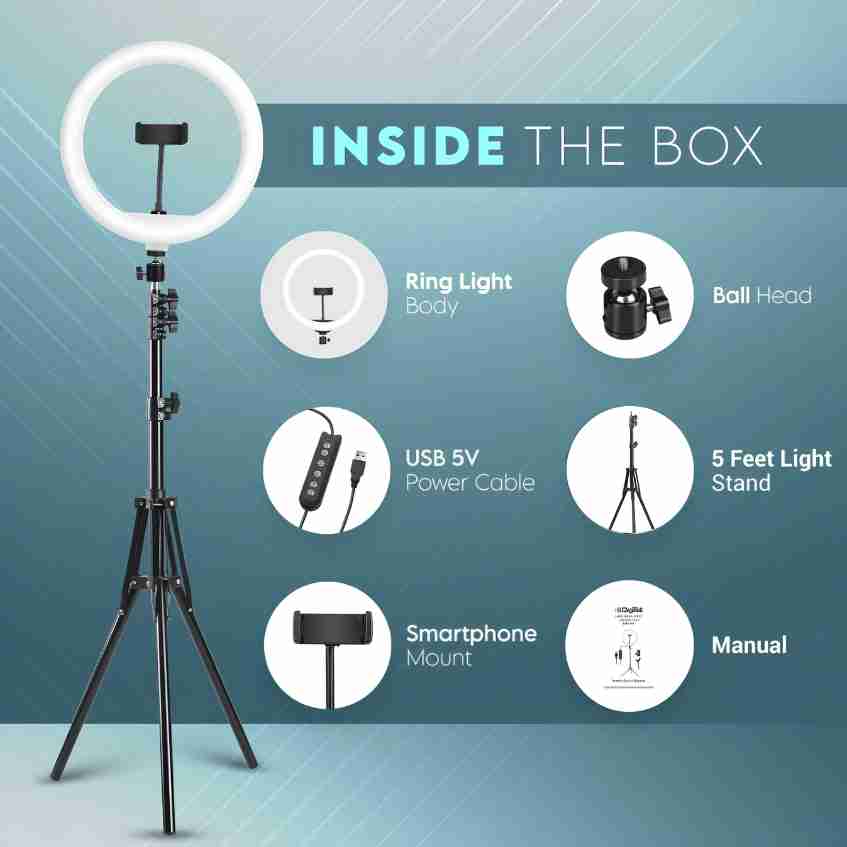
Ring lights are circular LED lights designed to be placed directly in front of the subject, with the camera lens positioned in the center of the ring.
- Features: Provides uniform, shadowless light directly on the face. Most come with adjustable color temperatures (warm to cool) and a built-in phone or camera mount.
- Advantages: Extremely easy to set up, highly portable, and very affordable. They create a distinct, attractive "catchlight" (a ring of light) in the subject's eyes.
- Best use cases: Ideal for talking-head videos, mobile phone recording, and compact home teaching studios where space is limited.
- Pros and cons:
- Pros: Budget-friendly, beginner-friendly, compact.
- Cons: Can cause glare if you wear glasses; not powerful enough to light a large room or a wide green screen.
2. Softbox Lights
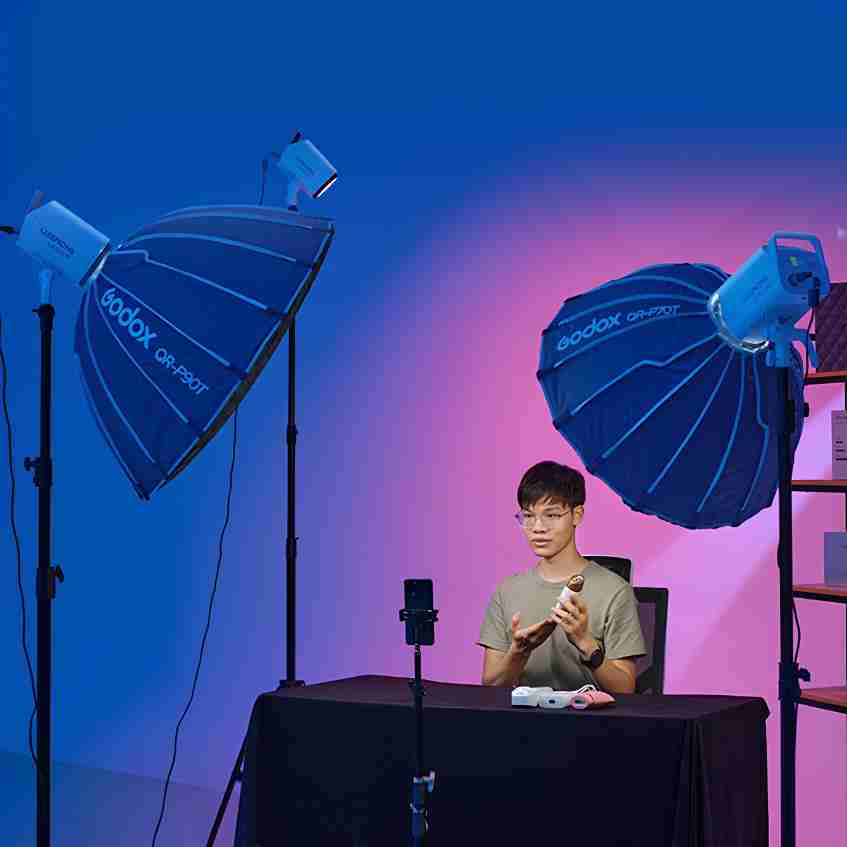
A softbox is a light modifier that encases a bulb or LED panel inside a reflective box, covered by a translucent diffusion panel.
- Features: Emits directional yet highly diffused, soft light. They mimic the natural, flattering light of a window on a cloudy day.
- Advantages: Softboxes wrap light around the subject, drastically reducing harsh shadows on the face and background. They create a highly professional, cinematic look.
- Best for educators and YouTube creators: Perfect for teachers who stand in front of a digital board or sit at a desk, as the soft light prevents distracting glare on screens and whiteboards.
- Pros and cons:
- Pros: Extremely flattering light, professional results, great for green screens.
- Cons: Takes up a significant amount of physical space; setup can be slightly complex for absolute beginners.
3. LED Panel Lights
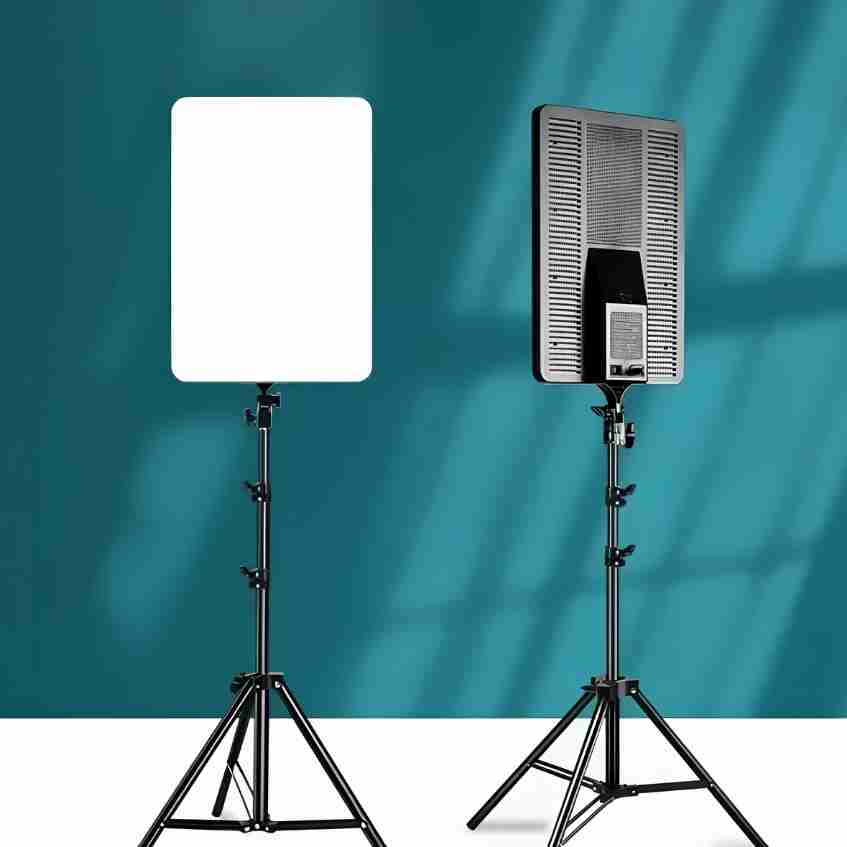
LED panels consist of hundreds of small LED bulbs mounted on a flat, rectangular board.
- Features: Compact, flat, and often bi-color, allowing you to seamlessly switch between daylight (cool white) and tungsten (warm yellow) settings.
- Brightness control: Most LED panels offer precise dimming from 0% to 100%, giving you total control over the light output.
- Color temperature adjustment: Essential for matching your studio lights to any ambient room lighting to avoid strange color casts on camera.
- Professional applications: Excellent for smart classrooms, hybrid teaching setups, and permanent studio installations. They run cool, making them comfortable for long teaching sessions.
4. COB Studio Lights
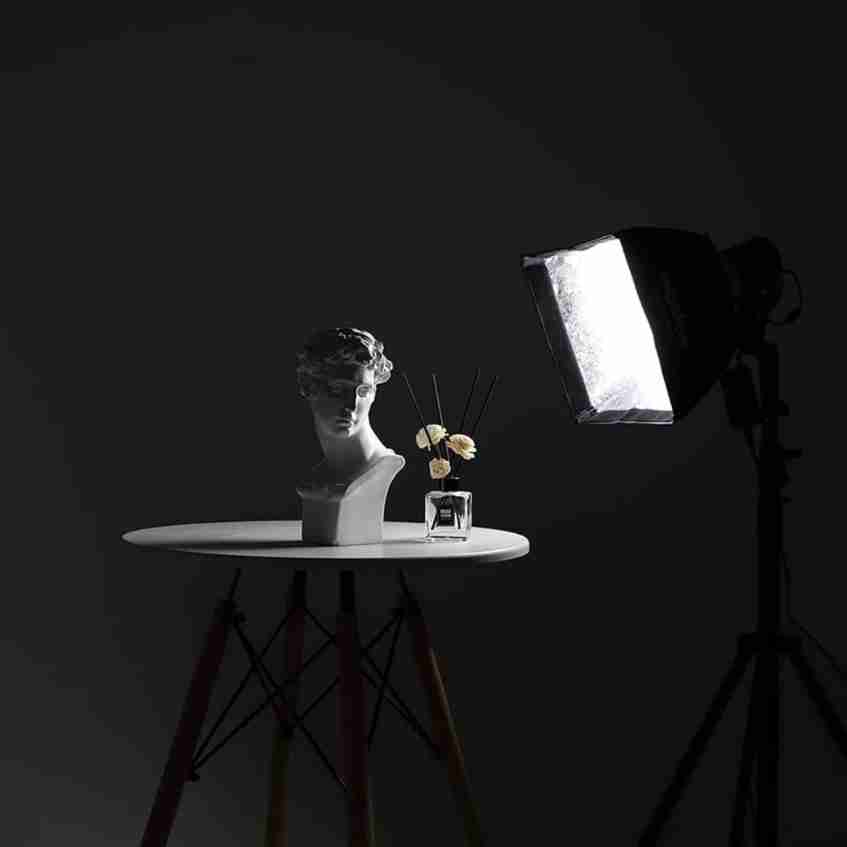
COB (Chip-on-Board) lights represent the pinnacle of professional video lighting. They feature a single, incredibly powerful LED chip rather than multiple small bulbs.
- High-end professional solution: COB lights produce a massive amount of output from a single point. Because the light source is singular, it requires a modifier (like a softbox or a dome) to diffuse the light.
- Benefits for large studios: They are powerful enough to illuminate large teaching stages, interact flat panels, and expansive green screens evenly. They offer unmatched color accuracy (High CRI/TLCI), ensuring skin tones and digital board graphics look perfectly natural.
- Recommended usage: Premium teaching studios, institutional recording rooms, and high-end YouTube production sets.
Best Lighting Setup for Teachers
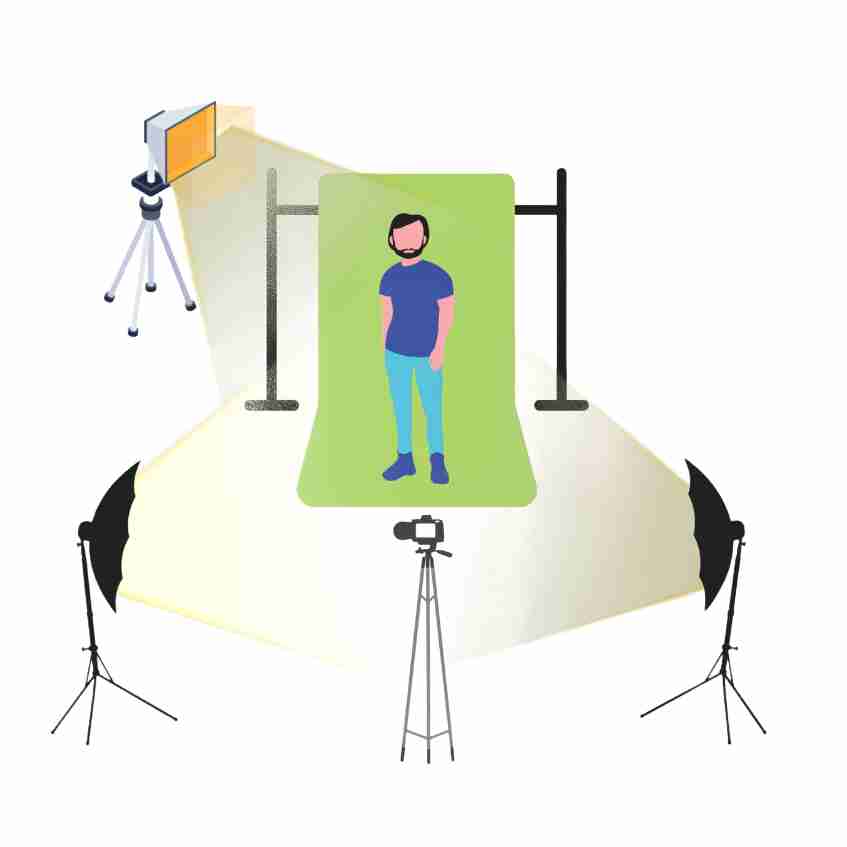
Having the best equipment is only half the battle; knowing how to position it is what creates the magic. The industry standard for professional video lighting is the 3-Point Lighting Setup.
The 3-Point Setup Explained
- Key Light: The primary source of illumination. It should be the brightest light, placed at a 45-degree angle to the left or right of your camera, slightly above eye level and angled downward. This provides form and dimension to your face.
- Fill Light: Placed on the opposite side of the key light. Its purpose is to "fill in" the dark shadows created by the key light. It should be set to roughly 50% of the key light's brightness to maintain a natural, three-dimensional look.
- Back Light (or Hair Light): Placed behind you, out of the camera's frame, shining down on your head and shoulders. This separates you from the background, adding depth to the video and preventing you from looking flat against the wall.
Setup Examples for Different Spaces
- Home Teaching Studio: If space is tight, use a 2-point setup. A Digitek Ring Light directly in front as your Key, and a small LED lamp behind you as a Backlight to separate you from the background.
- Coaching Center Studio: Use a Godox Softbox as your Key Light to reduce glare on your teaching desk or whiteboard. Use a smaller Philips LED panel as a Fill Light to eliminate shadows.
- Professional Online Course Studio: A full 3-point setup using Godox COB lights with large softboxes for the Key and Fill, plus an overhead LED panel for the Backlight. This ensures you can move around freely in front of an Interactive Flat Panel without casting shadows on the screen.
Recommended Lighting Brands for Educators
When curating the perfect studio, equipment reliability is crucial. Here are the top brands we recommend and supply at Edumark Technologies:
1. Ring Lights – Digitek
Digitek is the go-to brand for reliable, high-quality ring lights suitable for online classes and live sessions.
- Features: Adjustable brightness levels, dual-color temperature, sturdy mobile holder, and tripod support.
- Best For: Home teaching studios, mobile phone recording, and beginner content creators looking for an affordable entry point.
2. Softbox Lights – Godox
Godox is a globally trusted name in professional lighting. Their softbox kits are industry standards.
- Features: Provides soft, natural illumination that drastically reduces harsh shadows. Durable and built for studio-grade performance.
- Best For: Coaching institutes, professional educators, and course creators who want a cinematic, polished look.
3. LED Panel Lights – Philips
Philips offers robust, energy-efficient lighting solutions tailored for continuous studio use.
- Features: Consistent, flicker-free illumination with adjustable brightness and color temp. They give a modern, clean look to any studio environment.
- Best For: Smart classrooms, hybrid teaching environments, and setups requiring lights to be mounted permanently on walls or ceilings.
4. COB Studio Lights – Godox
For absolute premium quality, the Godox SL Series COB lights are unmatched in this price bracket.
- Features: High-output lighting, exceptional color accuracy, and compatibility with a vast range of light modifiers (softboxes, snoots, umbrellas).
- Best For: Premium teaching studios, large-scale YouTube educators, and professional production setups demanding broadcast quality.
Best Studio Lights for Different Budgets
At Edumark Technologies, we understand that every educator is at a different stage in their journey. Here is how you can budget your studio setup:
Budget Setup
- Ideal for: Individual teachers starting their YouTube channels or conducting Zoom classes.
- Equipment: Digitek Ring Light + Basic background setup (clean wall or simple backdrop).
- Result: Clean, clear facial lighting that instantly elevates mobile or webcam footage.
Mid-Range Setup
- Ideal for: Established online tutors and growing YouTube educators.
- Equipment: Godox Softbox Kit + Philips LED Panel combination. Add a basic wireless microphone setup for crisp audio.
- Result: A professional, shadow-free environment that looks great on DSLR and mirrorless cameras.
Professional Setup
- Ideal for: Coaching institutes, EdTech platforms, and premium course creators.
- Equipment: High-output Godox COB lights + Philips Professional LED panels + PTZ Camera + Interactive Flat Panel + Acoustic Treatment.
- Result: Broadcast-quality production that rivals major television studios.
Common Lighting Mistakes to Avoid
Even with the best lighting for video recording, poor execution can ruin your footage. Avoid these common pitfalls:
- Using only room lights: Overhead ceiling lights cast dark, unflattering shadows under your eyes, nose, and chin ("raccoon eyes"). Always use directional studio lights.
- Harsh shadows: Pointing bare LED bulbs directly at your face without a diffuser or softbox will wash out your skin and create harsh, distracting shadows on the wall behind you.
- Improper light positioning: Placing your main light directly below you (creating a spooky, campfire effect) or too far to the side. Stick to the 45-degree angle rule.
- Mixed color temperatures: Mixing warm, yellow room lights with cool, blue daylight LED panels will confuse your camera's white balance, making your skin look sickly or grey. Ensure all lights in the room match the same color temperature.
- Poor background illumination: If you are brightly lit but your background is pitch black, your video will look like an interrogation tape. Throw some light on the background to create depth.
Recommended Studio Setup by Edumark Technologies
Creating a teaching studio is about more than just buying a light. It requires a cohesive ecosystem of equipment that works together seamlessly. Edumark Technologies provides complete, end-to-end studio packages designed specifically for educators.
A standard Edumark Professional Studio Setup includes:
- Interactive Flat Panel: State-of-the-art digital boards for dynamic, engaging teaching.
- PTZ Camera: Remote-controlled Pan-Tilt-Zoom cameras that follow your movement effortlessly.
- Wireless Microphone: Crystal-clear, noise-canceling audio so your students hear every word.
- Professional Studio Lights: Curated Godox and Philips lighting setups tailored to your room's dimensions to eliminate screen glare and shadows.
- Green Screen & Acoustic Treatment: To ensure visual flexibility and echo-free audio.
- Teaching Desk & Accessories: Ergonomic setups for long teaching hours.
The best part? You don't need a massive upfront budget. Edumark Technologies provides all of this on easy, affordable EMI options.
Why Choose Edumark Technologies
When you partner with Edumark Technologies, you aren't just buying hardware—you are investing in a seamless, stress-free transition into digital education.
- End-to-End Installation: We handle everything from acoustic paneling to cable management. You just walk in and start teaching.
- Expert Consultation: We evaluate your room size, ambient light, and teaching style to recommend the perfect gear.
- Premium Products: We only supply trusted brands like Godox, Digitek, and Philips.
- Pan-India Support: No matter where your institute is located, our technical support team is ready to assist you.
- EMI Facility: Build your dream studio today and pay in easy monthly installments.
- Customized Solutions: From budget home setups to massive coaching center auditoriums, we design setups that fit your specific needs.
Conclusion
The transition to online education is no longer a trend; it is the standard. If you want to capture your students' attention, build a recognizable brand, and deliver your knowledge effectively, investing in the best light for studio setup is your first and most crucial step. From the simple brilliance of a Digitek ring light to the cinematic quality of Godox COB lights, the right illumination transforms your teaching from amateur to authoritative.
Looking to build a professional teaching studio? Contact Edumark Technologies today for complete studio setup solutions, smart classroom equipment, digital boards, cameras, microphones, and professional lighting systems available on easy EMI.
Frequently Asked Questions (FAQs)
1. Which light is best for an online teaching studio?
For most educators, a combination of a Godox softbox (as a key light) and an LED panel (as a fill light) provides the best balance of soft, professional illumination and reduced glare on teaching boards.
2. Is a ring light enough for YouTube videos?
Yes, if you are a beginner recording talking-head videos close to the camera, a Digitek ring light is highly effective. However, if you are using a large digital board or teaching standing up, you will need more powerful LED panels or softboxes.
3. What is the best color temperature for recording educational videos?
The ideal color temperature for video recording is daylight (around 5500K to 5600K). It provides a crisp, natural look that keeps the video energetic and clear, preventing the sleepy, yellowish tint of warm lighting.
4. How do I avoid glare on my glasses or digital board?
To avoid glare, never place your lights directly in front of the camera. Instead, place them at a 45-degree angle to the side and slightly elevated, pointing downwards. Using softboxes instead of bare LED panels also heavily reduces harsh reflections.
5. Are studio lights expensive?
They don't have to be! There are solutions for every budget. Entry-level ring lights are very affordable, while professional COB lights are more of an investment. Plus, Edumark Technologies offers complete studio lighting packages on easy EMI to make the process budget-friendly.
6. Do I need a backlight for my teaching setup?
While not strictly mandatory for beginners, a backlight is highly recommended. It separates you from the background, adding a professional, three-dimensional depth to your video that instantly raises your production value.
7. Can I use regular LED tube lights for my studio?
Regular room lights are not designed for cameras. They often have low CRI (Color Rendering Index), which makes skin tones look unnatural, and they can cause invisible flickering that ruins video footage. Purpose-built studio lights are essential for professional recording.